> For the complete documentation index, see [llms.txt](https://docs.candelacharts.com/llms.txt). Markdown versions of documentation pages are available by appending `.md` to page URLs; this page is available as [Markdown](https://docs.candelacharts.com/investing/momentum-and-oscillators/z-deviation-waves/overview.md).
# Overview
Z-Deviation Waves Quick Specs
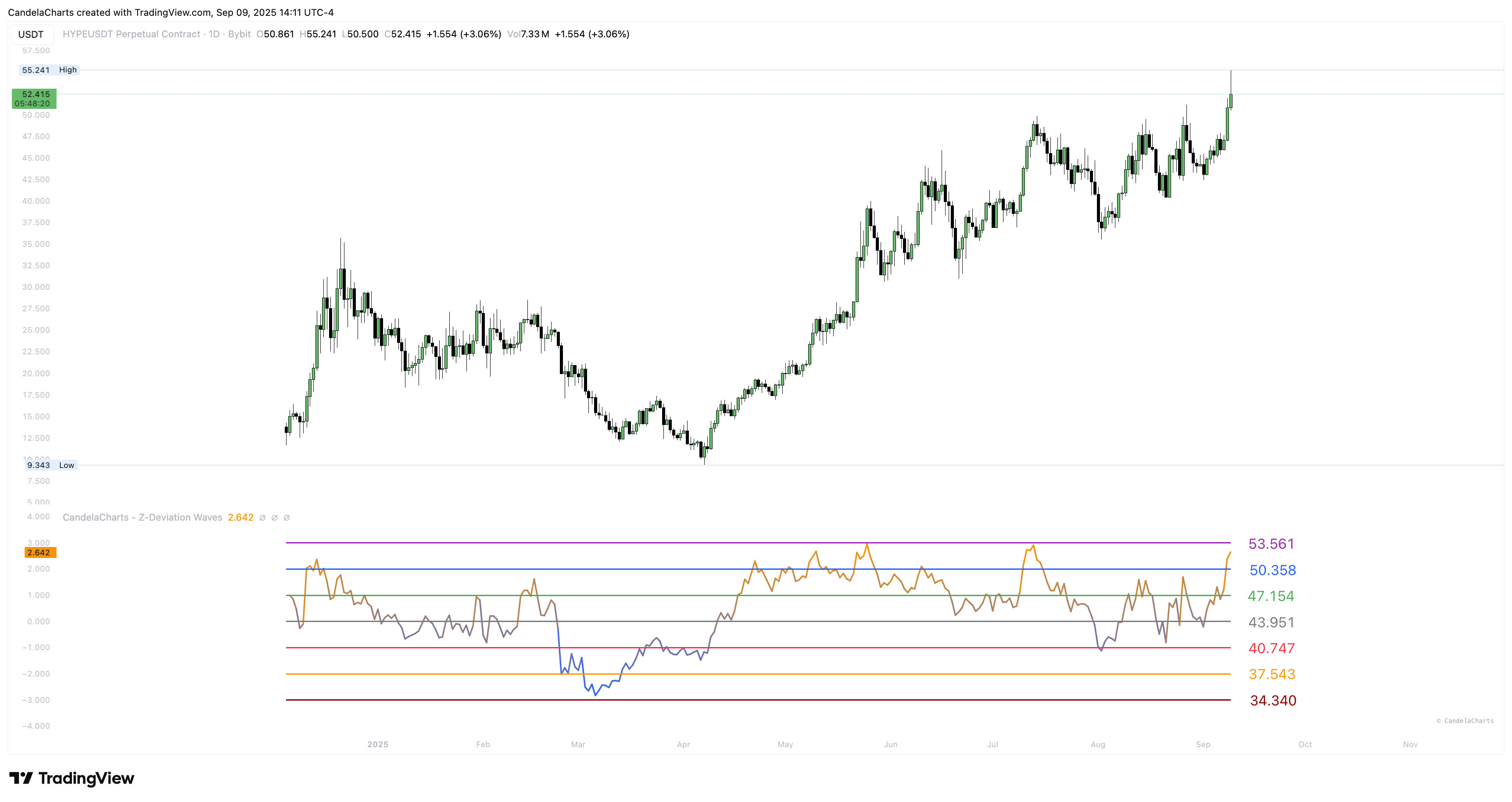
Think of this indicator as a **statistical speedometer**. It computes a rolling mean and standard deviation over a window you choose (the **Period**), then expresses current price as a **Z-score**: negative values are below average, positive values above.
The wave is color-graded—cooler near zero, hotter at extremes—so intensity is obvious at a glance.
You choose how to **label the guide lines**:
* **Z-score (σ):** show the classic −3σ…+3σ levels for pure, textbook context.
* **Price @ σ:** convert those σ levels into **live prices**—great for alerts and orders.
* **Price @ Z:** map Z onto a fixed numeric grid for clean, **presentation-ready** spacing across tickers.
Two small helpers round it out:
* **Trend columns:** a subtle backdrop that flips with the *direction of Z* (are we stretching further, or easing back?).
* **Downside table (optional):** prints the current −1σ/−2σ/−3σ prices in the corner so you can set alerts quickly.
---
# Agent Instructions
This documentation is published with GitBook. GitBook is the documentation platform designed so that both humans and AI agents can read, navigate, and reason over technical content effectively. Learn more at gitbook.com.
## Querying This Documentation
If you need additional information that is not directly available in this page, you can query the documentation dynamically by asking a question.
Perform an HTTP GET request on the current page URL with the `ask` query parameter, and the optional `goal` query parameter:
```
GET https://docs.candelacharts.com/investing/momentum-and-oscillators/z-deviation-waves/overview.md?ask=&goal=
```
`ask` is the immediate question: it should be specific, self-contained, and written in natural language.
`goal` is optional and describes the broader end goal you are ultimately trying to accomplish on behalf of the user. GitBook uses it to tailor the answer towards what is most useful for that goal.
The response will contain a direct answer to the question and relevant excerpts and sources from the documentation.
Use this mechanism when the answer is not explicitly present in the current page, you need clarification or additional context, or you want to retrieve related documentation sections.