> For the complete documentation index, see [llms.txt](https://docs.candelacharts.com/llms.txt). Markdown versions of documentation pages are available by appending `.md` to page URLs; this page is available as [Markdown](https://docs.candelacharts.com/models/fractal-range-model-tm/dashboard.md).
# Dashboard
Fractal Range Model Dashboard
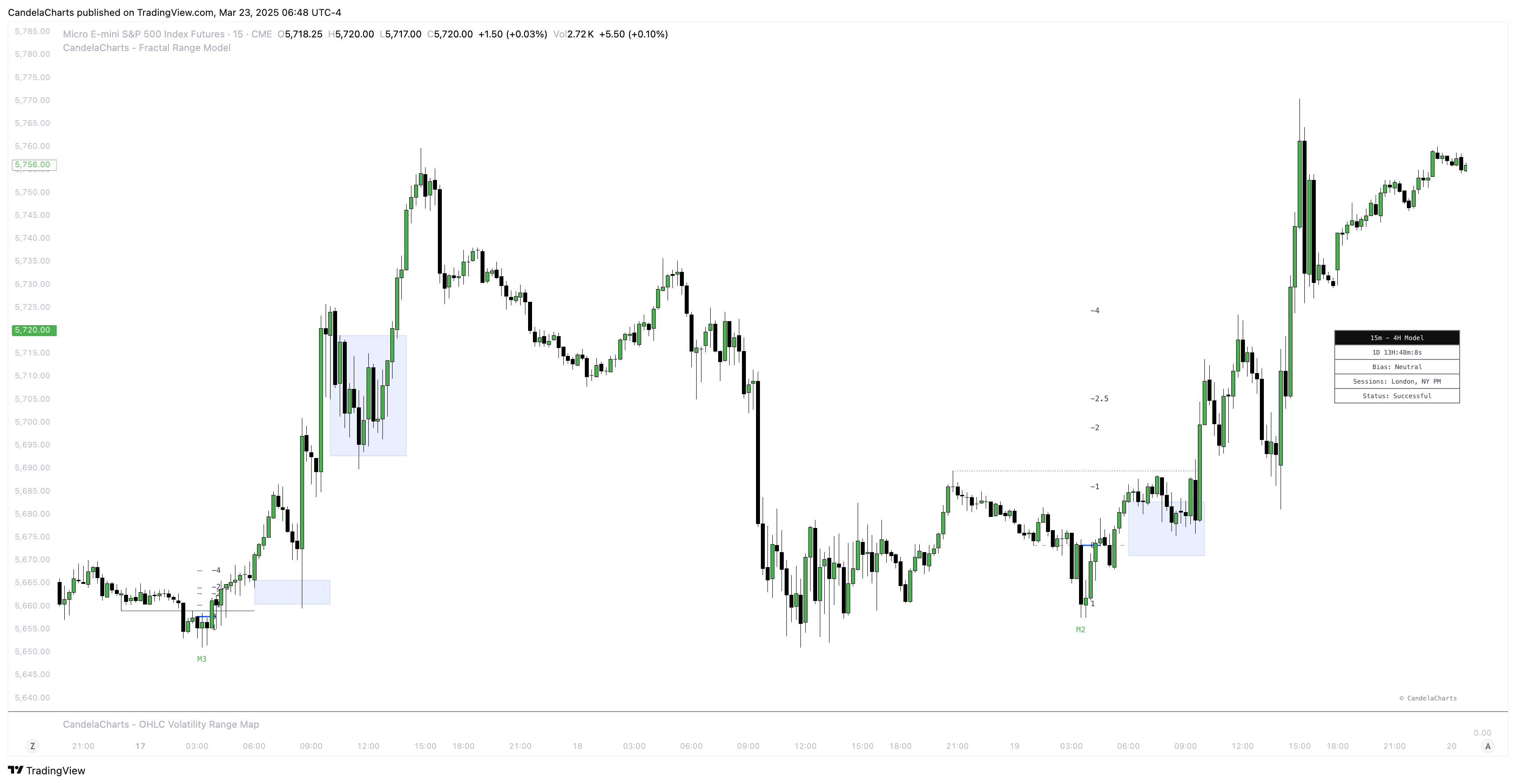
The **Fractal Range Model (FRM) Dashboard** provides traders with essential, real-time information to help guide their decision-making and improve market analysis.
The dashboard is designed to display key data points, offering a comprehensive view of the current market conditions and the state of the chart.
The following key metrics are displayed:
1. **Bias**: This section indicates the overall **market bias** based on the current model and time frame. It helps traders quickly assess whether the market is trending bullish, bearish, or neutral, providing a clear directional view. Understanding the market bias helps traders align their strategy with the prevailing market conditions.
2. **Current Model**: The dashboard highlights the **current model** that has been identified by the Fractal Range Model, such as a **Sweep** or **CISD** (Change In Structure Direction). This allows traders to instantly know which market structure is currently in play, helping them understand the underlying market dynamics and potential opportunities.
3. **Remaining Time Until HTF Candle Close**: The dashboard also displays a countdown showing the **remaining time until the higher time frame (HTF) candle closes**. This feature provides traders with valuable insight into the time left for the current candle to complete, helping them time entries, exits, or model validations more effectively. It’s particularly useful for those trading higher time frames and needing to make decisions based on the closure of key candles.
4. **Sessions Filter:** This filter allows users to view trading data within specific market sessions (Killzones).
5. **Model Status Filter:** This filter enables users to focus on specific states or conditions of the trading model.
### Conclusion
The **FRM Dashboard** delivers a streamlined view of critical information, including the **market bias**, the **current model**, and the **remaining time until the HTF candle closes**.
By consolidating these key data points, traders can make more informed decisions, enhancing their ability to navigate market conditions with greater confidence and precision.
---
# Agent Instructions
This documentation is published with GitBook. GitBook is the documentation platform designed so that both humans and AI agents can read, navigate, and reason over technical content effectively. Learn more at gitbook.com.
## Querying This Documentation
If you need additional information that is not directly available in this page, you can query the documentation by asking a question.
Perform an HTTP GET request on the following URL with the `ask` and `goal` query parameters:
```
GET https://docs.candelacharts.com/models/fractal-range-model-tm/dashboard.md?ask=&goal=
```
`ask` is the immediate question: it should be specific, self-contained, and written in natural language.
`goal` is what the user is ultimately trying to achieve, the reason they need the answer. Sharing it helps GitBook give you a better, more relevant answer. A goal is most helpful when it describes the outcome the user wants rather than restating the question. For example, with `ask=how do I create an API token`, a goal like `automate deployments from our CI pipeline` lets GitBook tailor the answer to that use case.
The response will contain a direct answer to the question and relevant excerpts and sources from the documentation.
Use this mechanism when the answer is not explicitly present in the current page, you need clarification or additional context, or you want to retrieve related documentation sections.