> For the complete documentation index, see [llms.txt](https://docs.candelacharts.com/llms.txt). Markdown versions of documentation pages are available by appending `.md` to page URLs; this page is available as [Markdown](https://docs.candelacharts.com/models/sfp-model/statuses.md).
# Statuses
SFP Model Statuses
The indicator uses six mutually exclusive statuses with the following priority order (highest to lowest):
### **Invalidated (**Orange**)**
The potential setup was canceled before it could ever be confirmed. This usually occurs if price continues to trend through the level instead of reversing, or if too much time passes without confirmation.
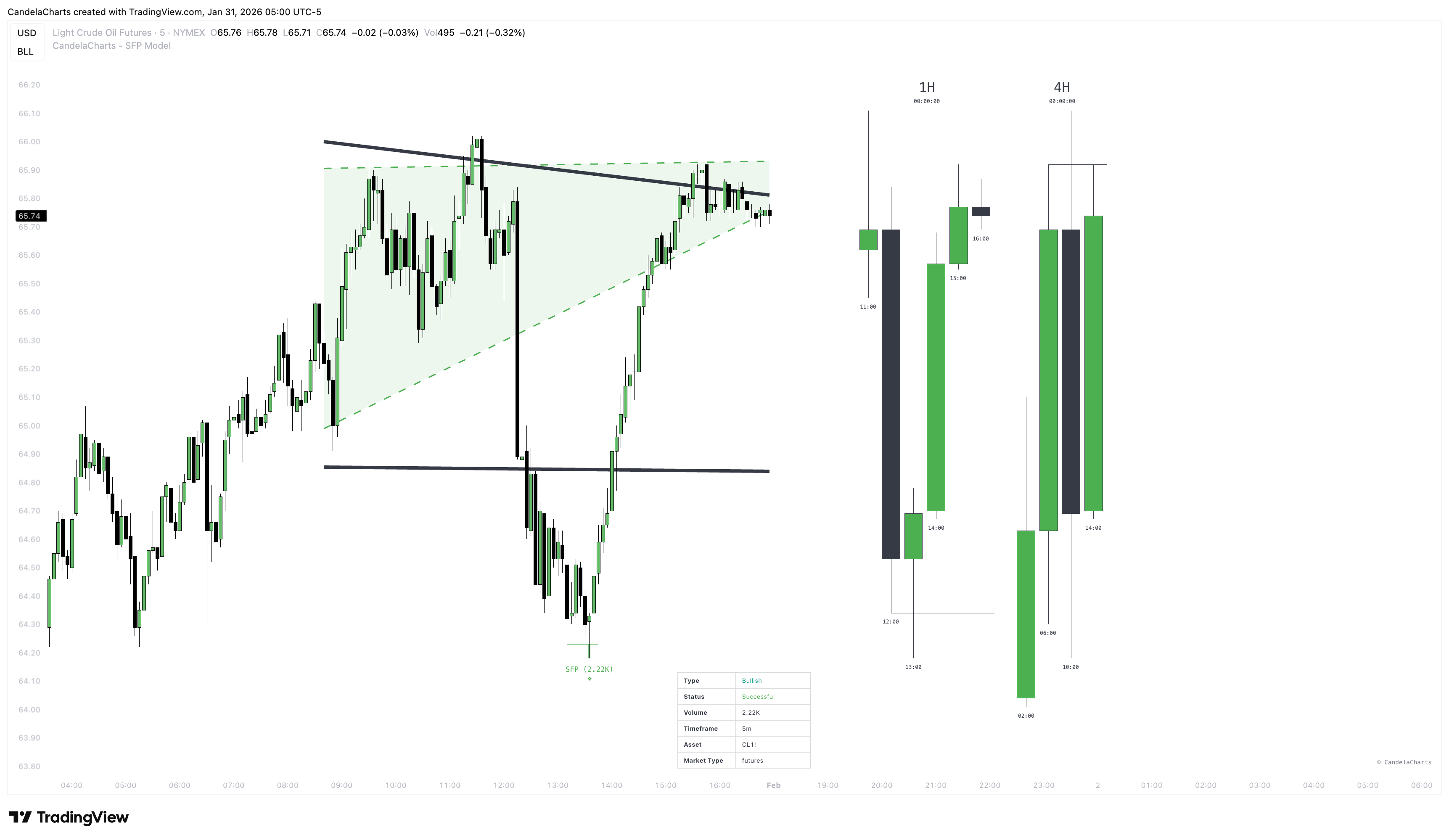
### **Successful (**Green**)**
The trade has reached the full profit target. This level is calculated as **2x the risk range** (a 2:1 Reward-to-Risk ratio), targeting the -2 Standard Deviation level.
### **Partial Success (**Lime**)**
The trade is moving in your favor and has hit the first profit target. This level is calculated as **1x the risk range** (a 1:1 Reward-to-Risk ratio), targeting the -1 Standard Deviation level.
### **Failed (**Red)
A confirmed trade setup has been stopped out. This happens if price reverses against you and breaks either the original swing point or the wick of the sweep candle (your invalidation level).
### **Confirmed (B**lue**)**
The reversal pattern is validated and the trade is active. This signal occurs when price closes back inside the range and breaks the local structure, typically marking your entry point.
### **Unconfirmed (G**ray**)**
A potential setup has formed where price swept a key level but rejected it. The pattern is waiting for a candle close beyond the local structure (opposing price) to confirm the reversal.
---
# Agent Instructions
This documentation is published with GitBook. GitBook is the documentation platform designed so that both humans and AI agents can read, navigate, and reason over technical content effectively. Learn more at gitbook.com.
## Querying This Documentation
If you need additional information that is not directly available in this page, you can query the documentation dynamically by asking a question.
Perform an HTTP GET request on the current page URL with the `ask` query parameter, and the optional `goal` query parameter:
```
GET https://docs.candelacharts.com/models/sfp-model/statuses.md?ask=&goal=
```
`ask` is the immediate question: it should be specific, self-contained, and written in natural language.
`goal` is optional and describes the broader end goal you are ultimately trying to accomplish on behalf of the user. GitBook uses it to tailor the answer towards what is most useful for that goal.
The response will contain a direct answer to the question and relevant excerpts and sources from the documentation.
Use this mechanism when the answer is not explicitly present in the current page, you need clarification or additional context, or you want to retrieve related documentation sections.