> For the complete documentation index, see [llms.txt](https://docs.candelacharts.com/llms.txt). Markdown versions of documentation pages are available by appending `.md` to page URLs; this page is available as [Markdown](https://docs.candelacharts.com/models/x-model-tm/dashboard.md).
# Dashboard
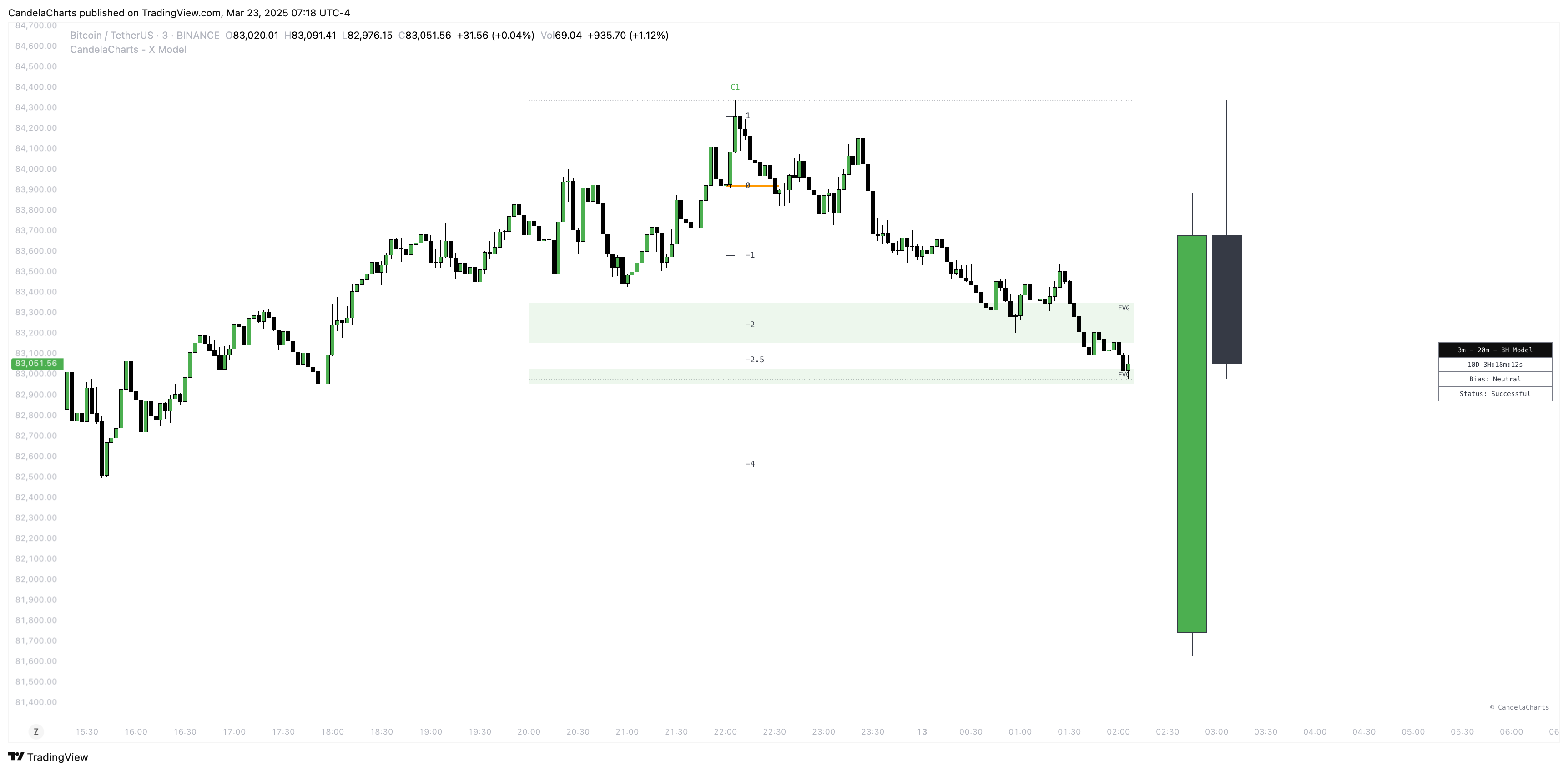
X Model Dashboard
The **X Model** Dashboard equips traders with essential, real-time insights to enhance decision-making and refine market analysis.
Designed to display key data points, the dashboard offers a clear, comprehensive view of current market conditions and chart behavior.
The following key metrics are provided:
### **Bias**
This section reveals the overall market bias based on the current X Model and timeframe, allowing traders to quickly assess whether the market is trending bullish, bearish, or neutral. Understanding the bias helps traders align their strategy with prevailing market conditions.
### **Current Model**
The dashboard highlights the active model identified by the X Model, such as market structure shifts or liquidity zone breakouts. This feature provides traders with immediate clarity on the current market phase, helping them understand the dynamics at play and spot potential opportunities.
### **Remaining Time Until HTF Candle Close**
A countdown shows how much time remains until the higher timeframe (HTF) candle closes. This is crucial for timing entries, exits, or validating model setups, particularly for traders focused on higher timeframes.
### **Sessions Filter**
This filter allows users to view trading data within specific market sessions (Killzones).
### **Model Status Filter**
This filter enables users to focus on specific states or conditions of the trading model.
### Conclusion
The X Model Dashboard consolidates key metrics such as market bias, the current model, and the time remaining until the HTF candle closes.
With this streamlined presentation, traders can make more informed decisions, improving their ability to navigate market movements with greater confidence and precision.
---
# Agent Instructions
This documentation is published with GitBook. GitBook is the documentation platform designed so that both humans and AI agents can read, navigate, and reason over technical content effectively. Learn more at gitbook.com.
## Querying This Documentation
If you need additional information that is not directly available in this page, you can query the documentation dynamically by asking a question.
Perform an HTTP GET request on the current page URL with the `ask` query parameter, and the optional `goal` query parameter:
```
GET https://docs.candelacharts.com/models/x-model-tm/dashboard.md?ask=&goal=
```
`ask` is the immediate question: it should be specific, self-contained, and written in natural language.
`goal` is optional and describes the broader end goal you are ultimately trying to accomplish on behalf of the user. GitBook uses it to tailor the answer towards what is most useful for that goal.
The response will contain a direct answer to the question and relevant excerpts and sources from the documentation.
Use this mechanism when the answer is not explicitly present in the current page, you need clarification or additional context, or you want to retrieve related documentation sections.